Choose an OLED / AMOLED spare phone if you have one
GlucScreen works on both LCD and OLED Android devices, but OLED panels turn black pixels completely off for zero gray backlight glow in dark rooms.
Most households have a spare Android phone sitting in a drawer with a crisp OLED screen. Instead of spending $200+ on single-purpose hardware, you can turn that old device into a quiet, always-on bedside or desk glucose display in five minutes.
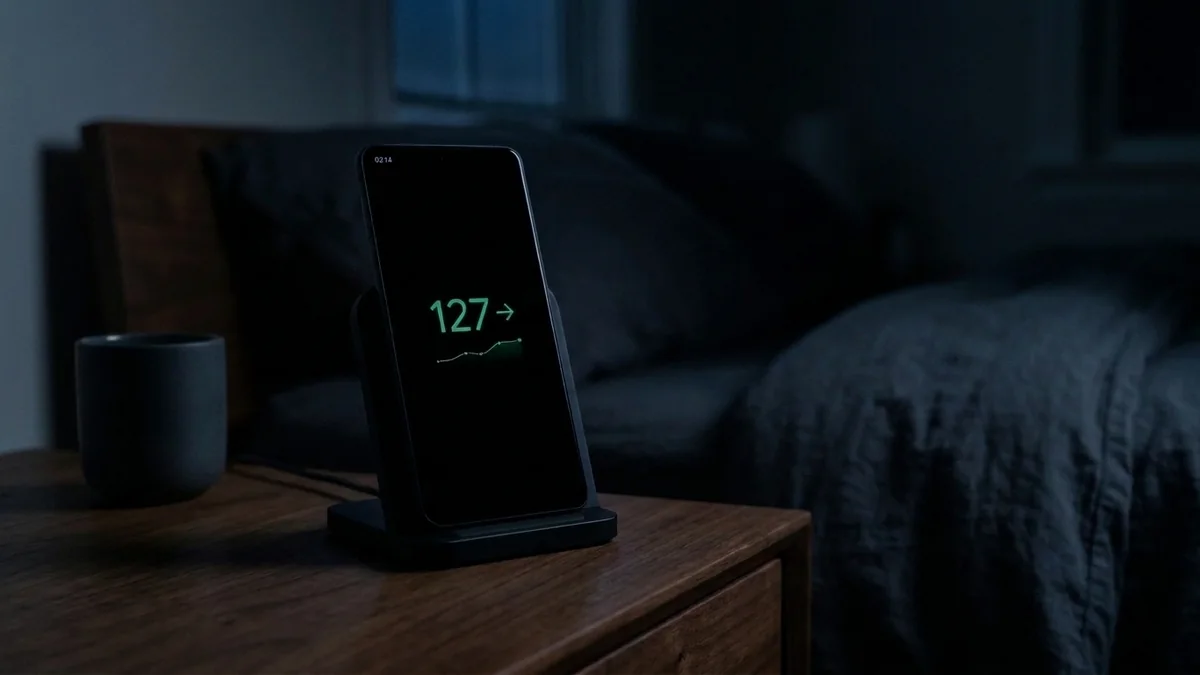
Simple tweaks so your bedside display runs reliably night after night.
No SIM card or phone plan is required. Enable Do Not Disturb or mute notifications from other apps so your spare phone behaves like a calm, dedicated bedside monitor.
Download GlucScreen from Google Play and connect with a LibreLinkUp follower account, the primary patient (Publisher) Dexcom account with Share enabled and at least one invited follower, or your personal Nightscout URL (plus token/API Secret if private). Check Remember credentials for uninterrupted overnight reconnection.
Open Android Settings → Apps → GlucScreen → Battery and pick Unrestricted so aggressive phone battery savers never pause background glucose updates overnight.
Place the phone upright or sideways on a simple charging stand at comfortable low night brightness. On an OLED display, pure black keeps power draw and heat minimal.
GlucScreen works on both LCD and OLED Android devices, but OLED panels turn black pixels completely off for zero gray backlight glow in dark rooms.
Every few minutes GlucScreen subtly shifts the digits by a few pixels so the display stays protected even when left running all night, every night.
If the charging cable accidentally comes loose and battery drops, GlucScreen warns you right on screen so your monitor never silently dies overnight.
No. The sensor remains paired to the wearer’s primary phone; the spare Android only needs Wi-Fi to pull live values from LibreLinkUp, Dexcom Share, or your Nightscout server.
Yes. An 8" to 11" Android tablet works great in landscape mosaic mode for watching multiple family members from a kitchen counter or living room.
After 15 minutes without fresh data, GlucScreen strikes through and dims the displayed value—and can trigger an optional signal-loss alarm.
Pure-black OLED rendering at low night brightness generates very little heat and draws minimal power. Using a standard low-wattage charger (5W–10W) keeps the device even cooler.
SugarPixel & SugarPixel+ alternative
SugarPixel & SugarPixel+ alternative: a sharper OLED display you already own for $3.99
Gluclink & GlucyView alternative
Gluclink & GlucyView alternative: true OLED glucose monitor with real alarms for $3.99
MySugarDash & GlucoseDisplay alternative
MySugarDash & GlucoseDisplay alternative: turn any Android tablet or phone into a family CGM dashboard
SugarClock, Ulanzi & Tidbyt alternative
SugarClock, NSClock (Ulanzi TC001) & Tidbyt alternative: no firmware flashing, plus a real 4-hour chart
Glowcose & Glucose Projector alternative
Glowcose, Glucose Projector (Gluview) & Frixos alternative: nighttime clarity without lighting up the room
FreeStyle LibreLinkUp guide
Always-On OLED glucose display for FreeStyle Libre (LibreLinkUp)
Dexcom Share guide
Always-On OLED glucose display for Dexcom Share (G6, G7 & ONE+)
Medtronic CareLink guide
OLED nightstand display for Medtronic CareLink (MiniMed 780G & Guardian) with no Nightscout server
Nightscout OLED guide
Always-On OLED glucose display for Nightscout (Loop, AndroidAPS & xDrip+)
GlucScreen alternatives
GlucScreen alternatives: an honest comparison with other CGM display apps & hardware
Nighttime glucose alarm
Nighttime glucose alarm on Android: wake up on time without accidentally dismissing it
Repurpose an old tablet
How to turn an old Android tablet into a large family glucose display
CGM display under $5
Bedside glucose display under $5: save $95 to $280 without buying another gadget
MiGluvi alternative
MiGluvi (Gluvi) alternative: true OLED glucose monitor with real alarms for $3.99
Sugarmate alternative (Android/Libre)
Sugarmate alternative for Android: direct, stable, and built for both FreeStyle Libre and Dexcom
Shuggah alternative (no subscription)
Shuggah alternative with no subscription: $3.99 one-time OLED glucose monitor on Android
Sweet Dreams alternative (Android)
Sweet Dreams alternative for Android: 24/7 OLED bedside glucose display with zero annual fees
Nightwatch Android replacement
Modern Nightwatch replacement for Android: built for current Nightscout servers and Android 14–16
Install GlucScreen from Google Play and set up your 24/7 glucose display tonight.
Technical support included: [email protected] · Support center →