Works with any CGM uploading to Nightscout
Because GlucScreen reads Nightscout’s standard API directly, you can display FreeStyle Libre, Dexcom, Medtronic, CamAPS FX, Eversense, or Sibionics readings as long as they upload to your Nightscout site.
Already uploading your CGM data to Nightscout via Loop, Trio, AndroidAPS, xDrip+, Juggluco, or a sensor bridge? GlucScreen turns any spare Android phone or tablet into a pitch-black (#000000) OLED nightstand or desk display with a 4-hour curve, slide-to-dismiss alarms, and direct HTTPS connection to your Nightscout URL.
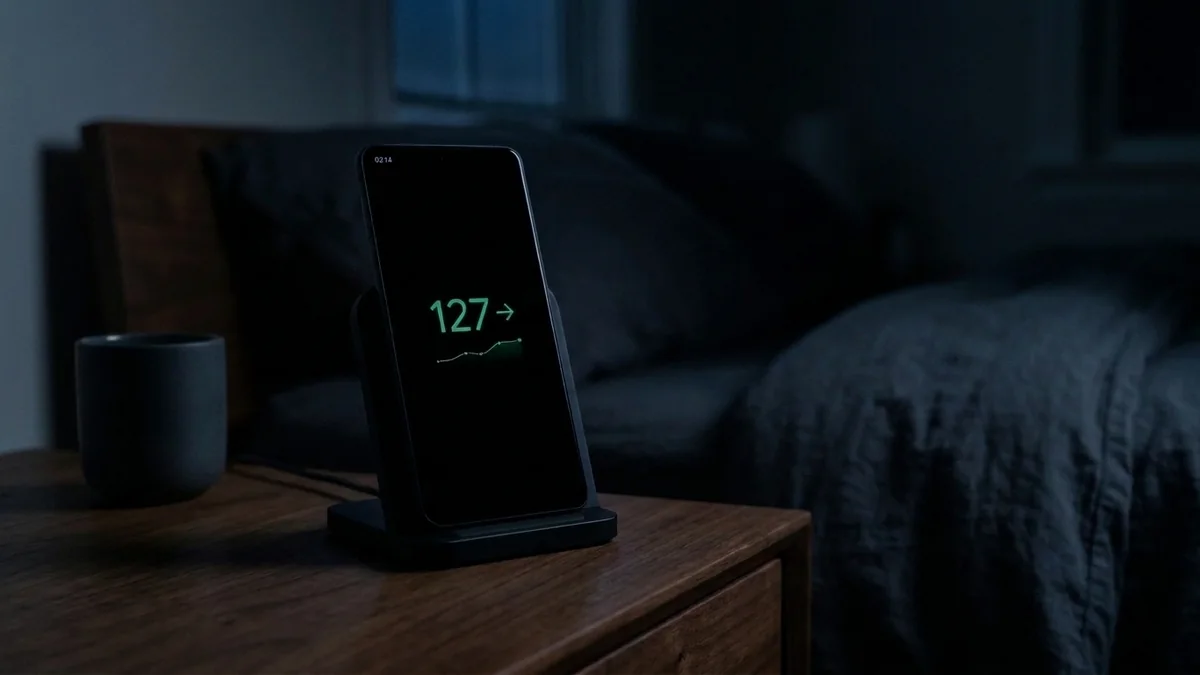
Works with any self-hosted or managed Nightscout site (Northflank, Railway, 10be, Heroku, home server, etc.).
Copy the full address of your personal Nightscout site (for example, https://yourname.nightscout.org) and confirm it is receiving fresh readings from Loop, Trio, AndroidAPS, xDrip+, Juggluco, or your CGM uploader.
Open GlucScreen on your Android phone or tablet, choose the Nightscout provider, paste your server URL, and add your read-only Access Token or API Secret if your Nightscout site restricts public reading.
Pinch to scale the digits so you can read them without glasses from across the bed, choose mg/dL or mmol/L, and enable SlideToConfirm overnight alarms so you never silence an alert while half-asleep.
Because GlucScreen reads Nightscout’s standard API directly, you can display FreeStyle Libre, Dexcom, Medtronic, CamAPS FX, Eversense, or Sibionics readings as long as they upload to your Nightscout site.
Have one family member looping on Nightscout and another using LibreLinkUp or Dexcom Share directly? GlucScreen lets you follow up to 6 profiles side by side on the same mosaic screen.
Your Android device talks directly to your own Nightscout server over HTTPS. Your URL, token, and glucose readings never pass through GlucScreen servers.
Yes. GlucScreen supports both public Nightscout instances and private sites with restricted read access by entering your read-only Access Token or API Secret directly in the app. Credentials stay solely in local protected storage on your device.
Yes. Even if you wear your CGM with an iPhone running Loop or Trio, any old Android phone or tablet on home Wi-Fi can connect directly to your Nightscout URL and serve as a silent 24/7 OLED bedside monitor.
Yes. Any CGM uploader or closed-loop system that posts glucose entries to Nightscout automatically displays in GlucScreen with trend arrows, delta changes, and a 4-hour curve.
GlucScreen is purpose-built for dark bedrooms: true #000000 OLED black, automatic pixel-shift burn-in protection, pinch-to-zoom giant digits, SlideToConfirm overnight alarms, stale-data strikethrough (>15 min), visual compression-low warnings, and 6-person family mosaic—installed cleanly from Google Play without sideloading APKs.
No. Nightscout is completely optional. FreeStyle Libre and Dexcom users can also connect directly via LibreLinkUp or Dexcom Share in under a minute without running a server.
SugarPixel & SugarPixel+ alternative
SugarPixel & SugarPixel+ alternative: a sharper OLED display you already own for $3.99
Gluclink & GlucyView alternative
Gluclink & GlucyView alternative: true OLED glucose monitor with real alarms for $3.99
MySugarDash & GlucoseDisplay alternative
MySugarDash & GlucoseDisplay alternative: turn any Android tablet or phone into a family CGM dashboard
SugarClock, Ulanzi & Tidbyt alternative
SugarClock, NSClock (Ulanzi TC001) & Tidbyt alternative: no firmware flashing, plus a real 4-hour chart
Glowcose & Glucose Projector alternative
Glowcose, Glucose Projector (Gluview) & Frixos alternative: nighttime clarity without lighting up the room
FreeStyle LibreLinkUp guide
Always-On OLED glucose display for FreeStyle Libre (LibreLinkUp)
Dexcom Share guide
Always-On OLED glucose display for Dexcom Share (G6, G7 & ONE+)
Medtronic CareLink guide
OLED nightstand display for Medtronic CareLink (MiniMed 780G & Guardian) with no Nightscout server
Repurpose an old Android
How to turn an old Android phone into a 24/7 nightstand CGM display
GlucScreen alternatives
GlucScreen alternatives: an honest comparison with other CGM display apps & hardware
Nighttime glucose alarm
Nighttime glucose alarm on Android: wake up on time without accidentally dismissing it
Repurpose an old tablet
How to turn an old Android tablet into a large family glucose display
CGM display under $5
Bedside glucose display under $5: save $95 to $280 without buying another gadget
MiGluvi alternative
MiGluvi (Gluvi) alternative: true OLED glucose monitor with real alarms for $3.99
Sugarmate alternative (Android/Libre)
Sugarmate alternative for Android: direct, stable, and built for both FreeStyle Libre and Dexcom
Shuggah alternative (no subscription)
Shuggah alternative with no subscription: $3.99 one-time OLED glucose monitor on Android
Sweet Dreams alternative (Android)
Sweet Dreams alternative for Android: 24/7 OLED bedside glucose display with zero annual fees
Nightwatch Android replacement
Modern Nightwatch replacement for Android: built for current Nightscout servers and Android 14–16
Download GlucScreen on Google Play and connect your Nightscout URL in under a minute.
Technical support included: [email protected] · Support center →