Skip Nightscout hosting and bridge scripts
Many MiniMed 780G users previously had to run custom bridge scripts into Nightscout just to get a bedside screen. GlucScreen talks directly to CareLink in 2 minutes.
If you use a Medtronic MiniMed 770G or 780G insulin pump with a Guardian 3, Guardian 4, or Simplera Sync sensor, you no longer need to maintain a Nightscout server or buy $150+ proprietary hardware to view your glucose overnight. GlucScreen connects directly to your Medtronic CareLink account on any Android phone or tablet with pure OLED black below 5% brightness for a single $3.99 purchase.
Your CareLink credentials stay strictly in local protected storage on your Android device—zero GlucScreen relay servers.
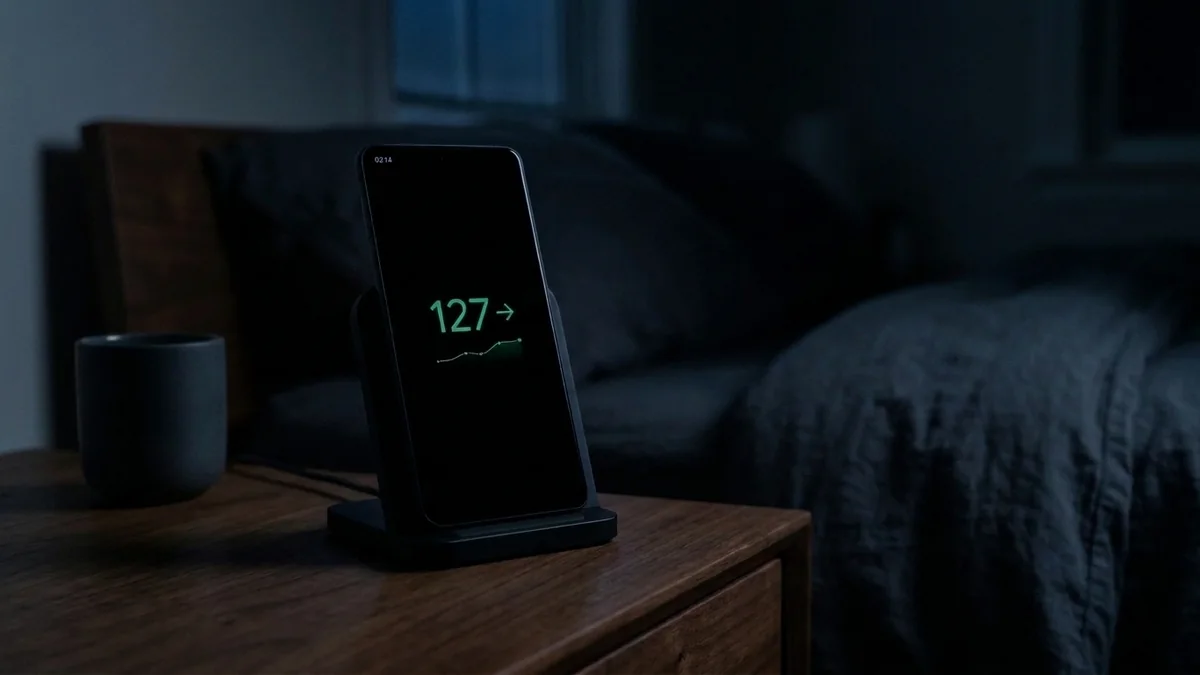
Direct setup in under 2 minutes—no self-hosted servers and no bridge apps.
On the wearer’s primary phone (Android or iPhone), open the official MiniMed Mobile app and confirm that automatic upload to CareLink is turned on and updating recent readings.
You can sign in with a patient CareLink account or an authorized CareLink Connect care-partner account. Make sure you know your username, password, and server region (US or EU/International).
Open GlucScreen on your nightstand Android phone or tablet, tap Add account, select Medtronic CareLink, pick your region, and sign in directly.
Pinch the digits to resize them independently for portrait or landscape, enable pure black OLED dimming below 5%, and set optional SlideToConfirm night alarms.
Many MiniMed 780G users previously had to run custom bridge scripts into Nightscout just to get a bedside screen. GlucScreen talks directly to CareLink in 2 minutes.
Keep your MiniMed Mobile app running on your iPhone as usual, and park any old Wi-Fi Android phone or tablet on your nightstand with GlucScreen.
Display a MiniMed 780G profile side by side with FreeStyle Libre, Dexcom Share, or Nightscout accounts in split-screen mosaic for up to 6 people.
Yes. Any Medtronic system that uploads continuous glucose readings to CareLink—including MiniMed 770G, MiniMed 780G with Guardian 3, Guardian 4, or Simplera Sync—displays live in GlucScreen.
Yes. Pick your CareLink region (US or EU/International) when signing in and toggle between mg/dL and mmol/L in one tap.
No. Direct Medtronic CareLink support is included in the single $3.99 one-time Google Play purchase with zero recurring fees.
SugarPixel & SugarPixel+ alternative
SugarPixel & SugarPixel+ alternative: a sharper OLED display you already own for $3.99
Gluclink & GlucyView alternative
Gluclink & GlucyView alternative: true OLED glucose monitor with real alarms for $3.99
MySugarDash & GlucoseDisplay alternative
MySugarDash & GlucoseDisplay alternative: turn any Android tablet or phone into a family CGM dashboard
SugarClock, Ulanzi & Tidbyt alternative
SugarClock, NSClock (Ulanzi TC001) & Tidbyt alternative: no firmware flashing, plus a real 4-hour chart
Glowcose & Glucose Projector alternative
Glowcose, Glucose Projector (Gluview) & Frixos alternative: nighttime clarity without lighting up the room
FreeStyle LibreLinkUp guide
Always-On OLED glucose display for FreeStyle Libre (LibreLinkUp)
Dexcom Share guide
Always-On OLED glucose display for Dexcom Share (G6, G7 & ONE+)
Nightscout OLED guide
Always-On OLED glucose display for Nightscout (Loop, AndroidAPS & xDrip+)
Repurpose an old Android
How to turn an old Android phone into a 24/7 nightstand CGM display
GlucScreen alternatives
GlucScreen alternatives: an honest comparison with other CGM display apps & hardware
Nighttime glucose alarm
Nighttime glucose alarm on Android: wake up on time without accidentally dismissing it
Repurpose an old tablet
How to turn an old Android tablet into a large family glucose display
CGM display under $5
Bedside glucose display under $5: save $95 to $280 without buying another gadget
MiGluvi alternative
MiGluvi (Gluvi) alternative: true OLED glucose monitor with real alarms for $3.99
Sugarmate alternative (Android/Libre)
Sugarmate alternative for Android: direct, stable, and built for both FreeStyle Libre and Dexcom
Shuggah alternative (no subscription)
Shuggah alternative with no subscription: $3.99 one-time OLED glucose monitor on Android
Sweet Dreams alternative (Android)
Sweet Dreams alternative for Android: 24/7 OLED bedside glucose display with zero annual fees
Nightwatch Android replacement
Modern Nightwatch replacement for Android: built for current Nightscout servers and Android 14–16
Download GlucScreen on Google Play for a one-time $3.99 purchase and connect in 2 minutes.
Technical support included: [email protected] · Support center →