Use a dedicated follower email
If you are displaying your own sensor, register LibreLinkUp with a secondary email address separate from your primary LibreLink account to prevent session sign-outs.
If you wear FreeStyle Libre 2, Libre 2 Plus, or FreeStyle Libre 3 — or care for a child or family member who does — GlucScreen turns any Android phone into a 24/7 hands-free nightstand and desk monitor using your free LibreLinkUp follower account.
Important: you need a LibreLinkUp follower account. Signing in with the wearer’s own FreeStyle LibreLink account causes cross sign-outs.
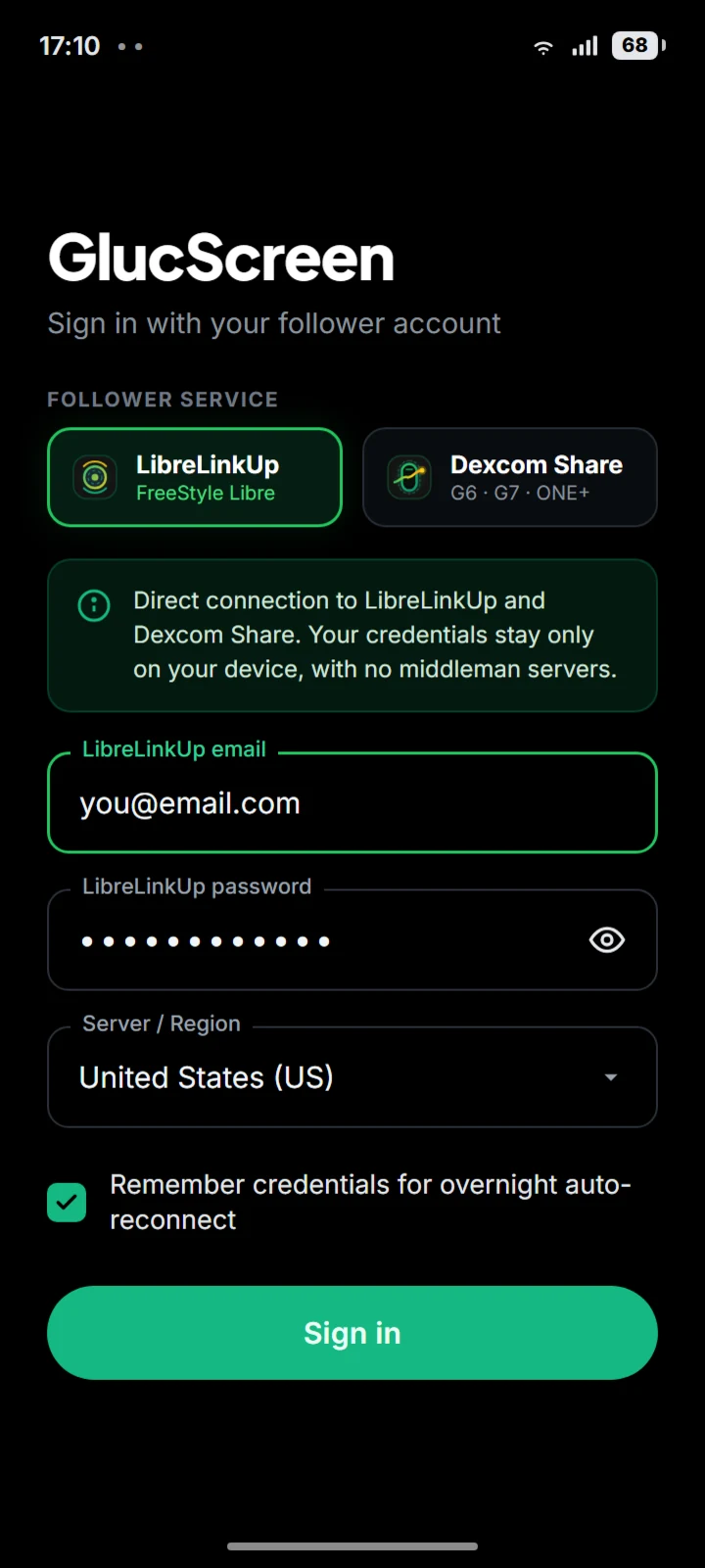
No cables, third-party bridges, or complex server setup required.
On the phone scanning the sensor, open the official FreeStyle LibreLink (or Libre 3) app, go to Connected Apps → LibreLinkUp, and invite your follower email address.
Open the free LibreLinkUp app once and accept the invite so Abbott’s cloud starts streaming live glucose values to that follower account.
Open GlucScreen on your Android display device, pick LibreLinkUp, enter your follower email, password, and server region (US, EU, etc.), and tap Sign in.
If you are displaying your own sensor, register LibreLinkUp with a secondary email address separate from your primary LibreLink account to prevent session sign-outs.
Tracking more than one person on LibreLinkUp? GlucScreen displays up to 6 profiles simultaneously in split-screen mosaic or automatic rotation.
If Wi-Fi drops or no fresh reading arrives for more than 15 minutes, GlucScreen immediately strikes through and dims the value so you never rely on outdated data.
Yes. Any FreeStyle Libre sensor streaming real-time values to LibreLinkUp works natively with GlucScreen.
Yes. As long as your child’s phone has internet access and uploads to LibreLinkUp, your GlucScreen display updates in real time at home or at work.
No. Credentials stay exclusively in your Android device’s protected local storage for automatic overnight reconnection. There are no middleman servers.
Choose the same region where your LibreLinkUp account was registered (for example, United States (US), Europe (EU), UK, etc.).
SugarPixel & SugarPixel+ alternative
SugarPixel & SugarPixel+ alternative: a sharper OLED display you already own for $3.99
Gluclink & GlucyView alternative
Gluclink & GlucyView alternative: true OLED glucose monitor with real alarms for $3.99
MySugarDash & GlucoseDisplay alternative
MySugarDash & GlucoseDisplay alternative: turn any Android tablet or phone into a family CGM dashboard
SugarClock, Ulanzi & Tidbyt alternative
SugarClock, NSClock (Ulanzi TC001) & Tidbyt alternative: no firmware flashing, plus a real 4-hour chart
Glowcose & Glucose Projector alternative
Glowcose, Glucose Projector (Gluview) & Frixos alternative: nighttime clarity without lighting up the room
Dexcom Share guide
Always-On OLED glucose display for Dexcom Share (G6, G7 & ONE+)
Medtronic CareLink guide
OLED nightstand display for Medtronic CareLink (MiniMed 780G & Guardian) with no Nightscout server
Nightscout OLED guide
Always-On OLED glucose display for Nightscout (Loop, AndroidAPS & xDrip+)
Repurpose an old Android
How to turn an old Android phone into a 24/7 nightstand CGM display
GlucScreen alternatives
GlucScreen alternatives: an honest comparison with other CGM display apps & hardware
Nighttime glucose alarm
Nighttime glucose alarm on Android: wake up on time without accidentally dismissing it
Repurpose an old tablet
How to turn an old Android tablet into a large family glucose display
CGM display under $5
Bedside glucose display under $5: save $95 to $280 without buying another gadget
MiGluvi alternative
MiGluvi (Gluvi) alternative: true OLED glucose monitor with real alarms for $3.99
Sugarmate alternative (Android/Libre)
Sugarmate alternative for Android: direct, stable, and built for both FreeStyle Libre and Dexcom
Shuggah alternative (no subscription)
Shuggah alternative with no subscription: $3.99 one-time OLED glucose monitor on Android
Sweet Dreams alternative (Android)
Sweet Dreams alternative for Android: 24/7 OLED bedside glucose display with zero annual fees
Nightwatch Android replacement
Modern Nightwatch replacement for Android: built for current Nightscout servers and Android 14–16
Set up LibreLinkUp in under 1 minute and sleep without blinding phone screens.
Technical support included: [email protected] · Support center →